

Step-by-step instructions for using RPA automation from AdsPower
Take a Quick Look
Unlock the power of efficiency with AdsPower's RPA automation. Streamline your multi-account management and supercharge your online growth with our easy-to-follow guide. Take control of your digital operations and optimize your workflow like never before.
One of the main fields where your company has the opportunity to grow and scale is through the automation of repetitive tasks in multi-accounting. RPA automation, one of AdsPower's unique features, is right there to help you with that.
The benefit of automation is straightforward and lies on the surface: by automating repetitive tasks, we free up human time that can be used more creatively to identify new opportunities or enhance existing plans. At the same time, we improve process efficiency because a human won't be able to click as frequently or as efficiently as a bot.
The term "automation" intimidates a lot of people because it sounds difficult and necessitates knowledge of programming or other technical concepts. It's simple with AdsPower. Today, we'll demonstrate step-by-step usage instructions for AdsPower RPA using Amazon as an example.
Preparing
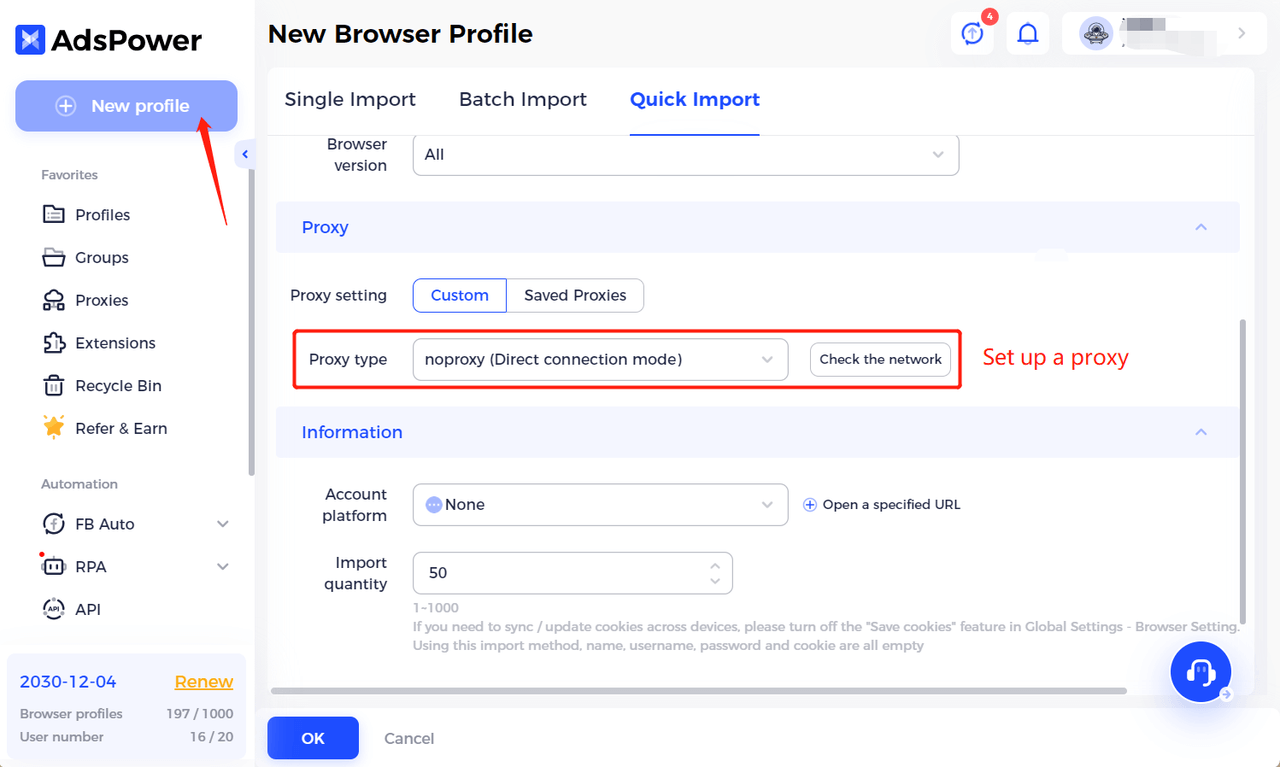
Create a browser profile in AdsPower and match your proxy to your target market before you can begin using RPA automation. Here, we'll demonstrate how to use RPA to warm up Amazon accounts using an Amazon template as an example. Additionally, it can be used to simply create cookie histories for profiles.
Therefore, the first step is to open a new Amazon account. To receive texts and mail, you'll need a phone number. All the resources for support are available from our partners.
Automation templates
A template governs the automation process in and of itself. If existing templates are appropriate for your tasks, you can use them. or otherwise, make your own.
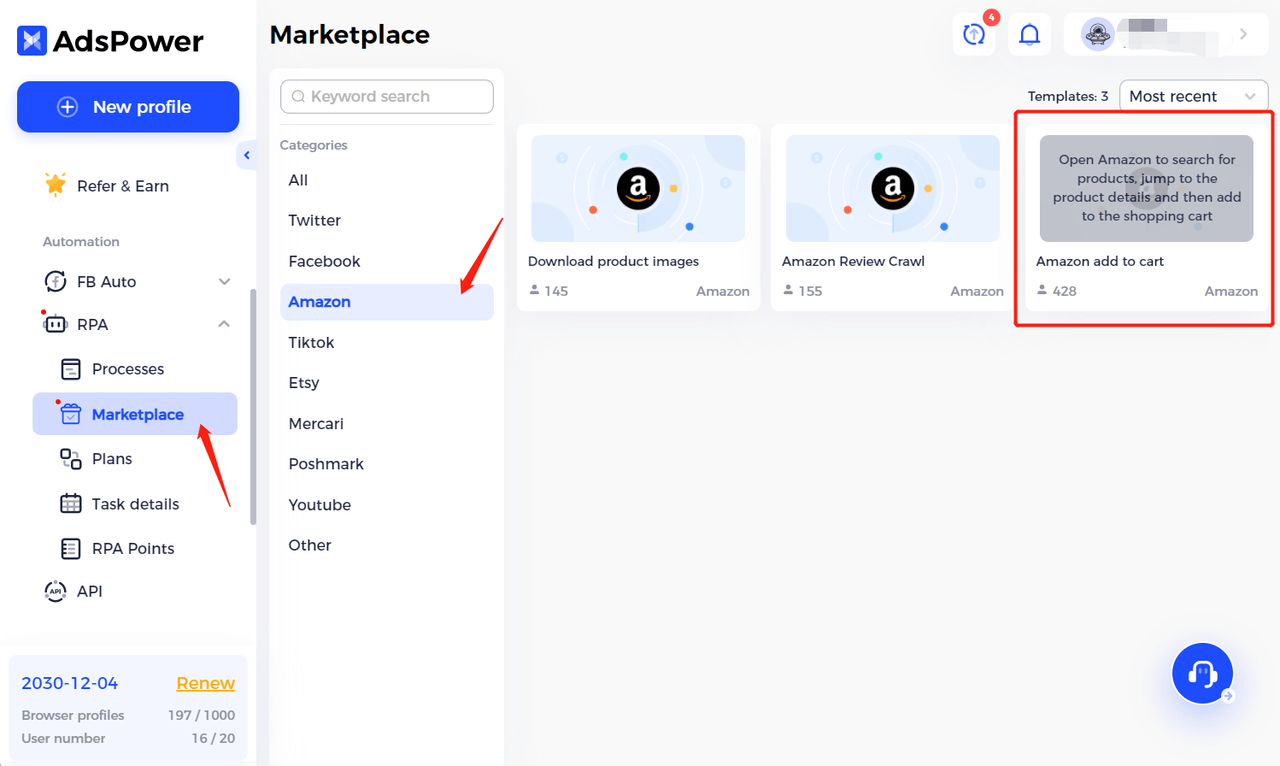
You can select automation templates for many different sites on our marketplace. Since we are parsing Amazon today, we have gone with the option that is currently most in demand: add item to cart. It must be included in your list of procedures.
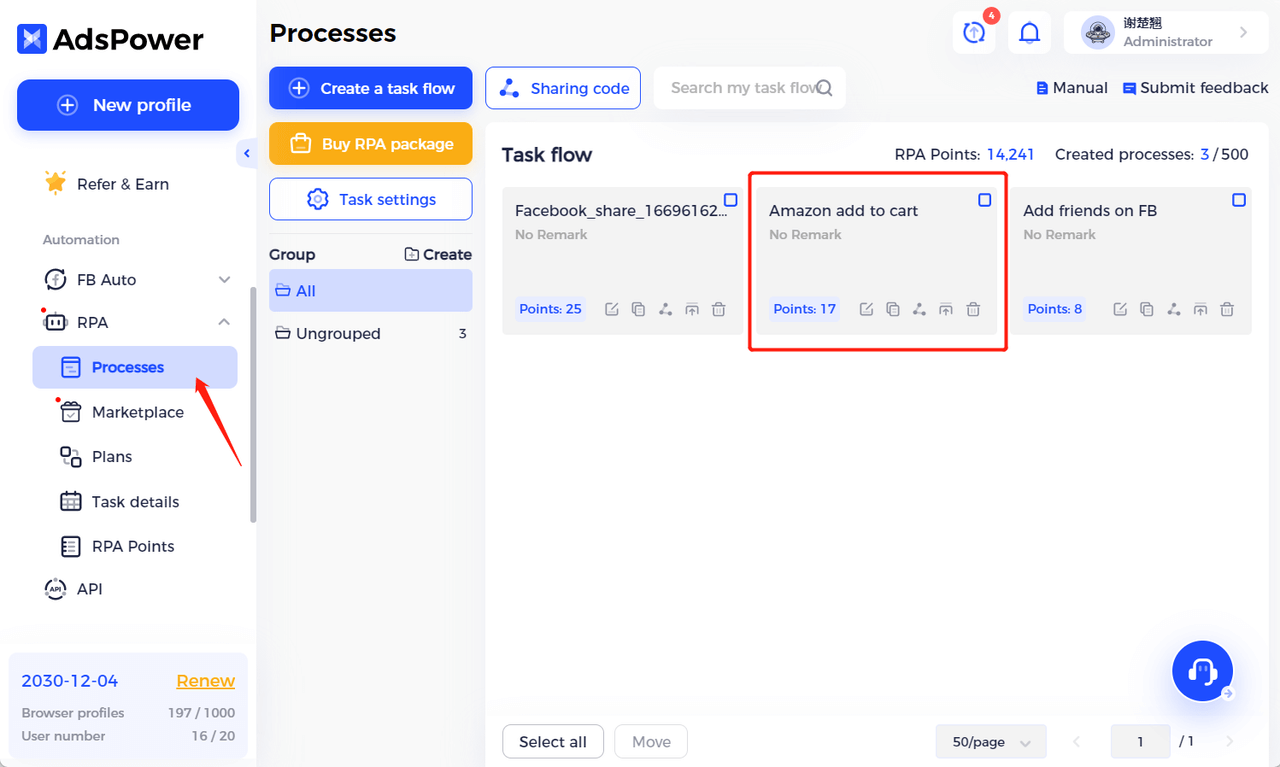
When you apply the template, it will be displayed in the Processes menu, and it can be edited. In the "Create a task flow" tab you can create your template from scratch. The number of points is equal to the number of necessary steps.
Automation task launch
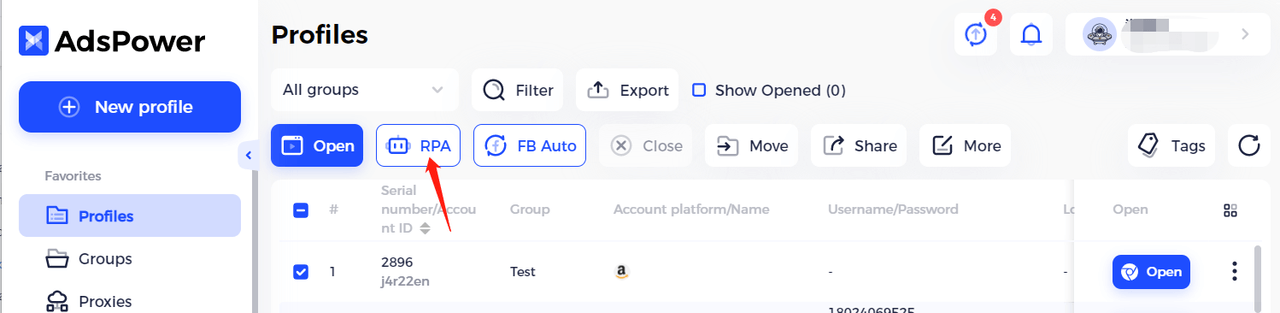
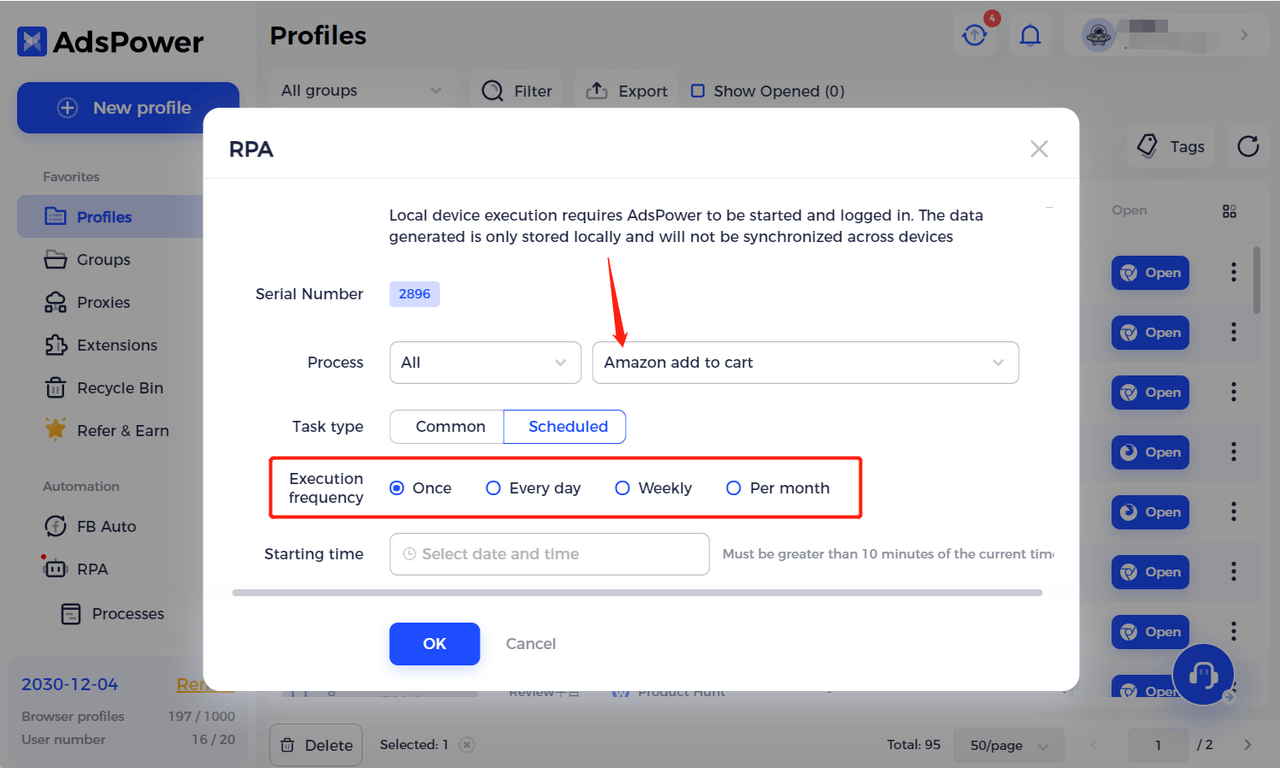
Once you've decided on a template, you need to go to the Profiles menu and select the profile you want, then click on the RPA button. Make sure that you have selected the correct profile, where you are already logged into Amazon and the right proxy is set up.
In the menu that opens, select the desired process, this time it is Amazon add to cart. Next, select the periodicity of the action or a single execution of the algorithm, and the process is ready to run.
After you click on OK, the RPA bot will start working. It looks like this:
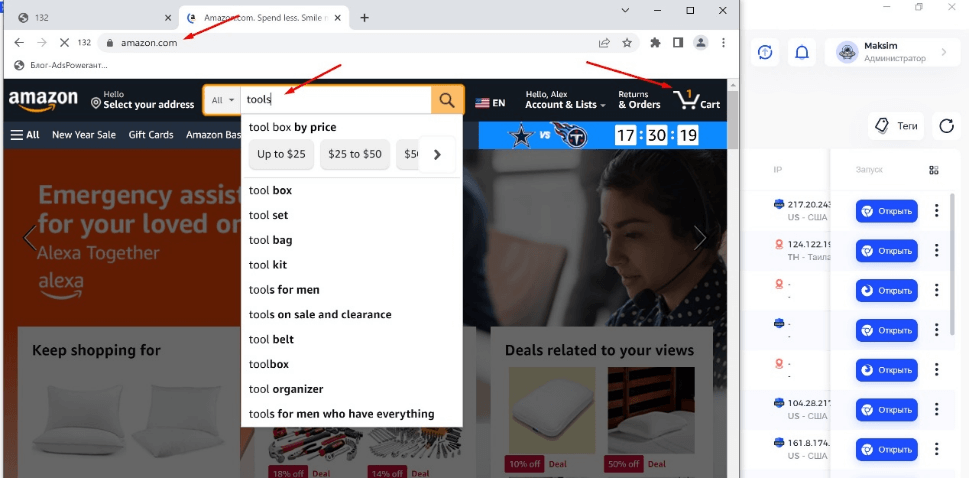
Done!
All subsequent actions of the bot can be tracked in the Task Details menu. If for some reason the action is not completed or not entirely completed, the points will be returned to your account, which can be tracked in the RPA Points menu.
Conclusion
RPA automation from AdsPower is a great solution for teams who are looking for growth—simple and straightforward functionality that's worth getting into. We at AdsPower will always be happy to respond to your inquiries on our social networks and website.

People Also Read
- Marketing Automation for Startups and Small Teams: How AdsPower AI Agents Automate Browser Workflows
Marketing Automation for Startups and Small Teams: How AdsPower AI Agents Automate Browser Workflows
Learn how AI Agents can automate repetitive browser-based marketing tasks across multiple accounts
- Best Private Search Engines in 2026: 5 Secure Alternatives to Google

Best Private Search Engines in 2026: 5 Secure Alternatives to Google
Looking for a more private way to search? Explore the 5 best private search engines in 2026 and see how DuckDuckGo, Brave Search, Startpage, and more
- Temp Gmail: How to Create a Temporary Gmail Account in 2026
Temp Gmail: How to Create a Temporary Gmail Account in 2026
Learn how to create a temp Gmail account, compare Gmail aliases and separate accounts, and manage multiple accounts with AdsPower.
- Understanding Persistent Browser Profiles for AI Agents: Why Do They Matter?
Understanding Persistent Browser Profiles for AI Agents: Why Do They Matter?
Learn why persistent browser profiles matter for AI agents, helping maintain sessions, browser consistency, account isolation, and reliable automation
- Kickass Torrents Alternatives: Movies, TV, Games & Safe Access (2026)
Kickass Torrents Alternatives: Movies, TV, Games & Safe Access (2026)
Kickass Torrents is no longer what it once was, but there are still alternatives for finding movies, TV shows, music, books, games, and software. This
