

Why is AdsPower a better choice than Octo Browser?
Take a Quick Look
AdsPower and Octo Browser take different approaches to browser profile management. This comparison covers their key features, including browser engines, automation, fingerprint management, pricing, and team capabilities.
Selecting an antidetect browser frequently involves more factors than just fingerprinting. You might also want technologies that simplify repetitive duties, automation, teamwork, and flexible profile management if you oversee several accounts.
Although both AdsPower and Octo Browser are well-liked choices for handling numerous browser profiles, they handle these tasks in various ways. Key topics such as browser choices, profile management, automation, team features, pricing, and support will be examined in this comparison between AdsPower and Octo Browser.
AdsPower vs. Octo Browser: Key Features at a Glance
| Feature | AdsPower | Octo Browser |
|---|---|---|
| Browser Engines | Chromium + Firefox | Chromium |
| Browser Profiles | Free profiles + scalable paid plans, up to 5,000+ profiles | Paid profile plans |
| Automation | RPA, Local API, CLI, Synchronizer | Puppeteer, Playwright |
| AI & Integrations | AI Agent + MCP integration | API & automation integrations |
| Proxy Support | HTTP, HTTPS, SOCKS5, SSH + proxy management | HTTP, HTTPS, SOCKS5 |
| Team Collaboration | Profile sharing, permissions, activity logs, data synchronization | Team profile management |
| Fingerprint Controls | 50+ parameters across multiple fingerprint categories | Customizable browser fingerprints |
| Bulk Management | Bulk profile, proxy, fingerprint, cookie, bookmark and task management | Bulk profile management |
| Operating Systems | Windows, macOS, Linux, Android, iOS | Windows, macOS, Android |
| iOS Support | AdsPower iOS app | iOS and Android apps now available |
| Security & Compliance | ISO certifications, GDPR, encryption, CertiK audit, Bug Bounty | Security and privacy features |
Functionality and usability
Browser options

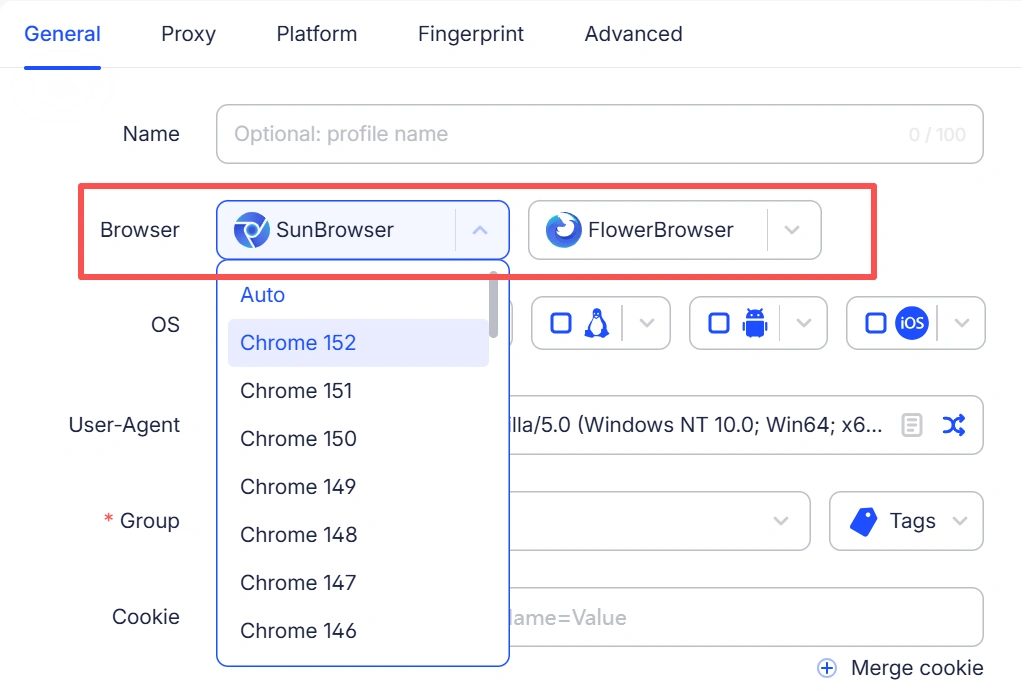
Most antidetect browsers are built around Chromium, while AdsPower supports both Chromium and Firefox through SunBrowser and FlowerBrowser.
AdsPower also keeps its browser versions up to date. SunBrowser can typically be updated within one week of a new Chromium version being released, allowing AdsPower users to access the latest browser version without a long wait. For users who need a Firefox-based environment, FlowerBrowser provides an additional browser engine option.
Fingerprint spoofing and undetectability
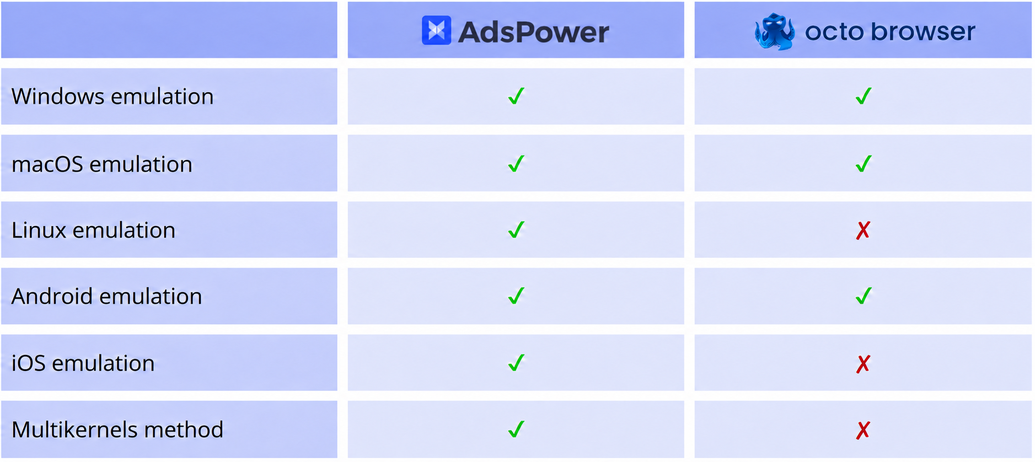
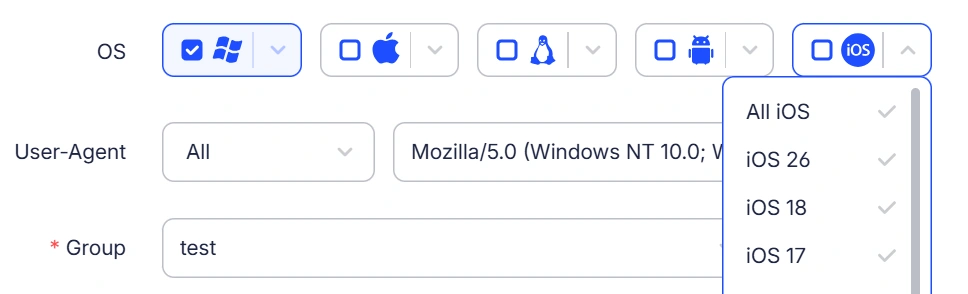
Emulating mobile device environments can be useful for workflows that rely on mobile-specific browsing environments. Unlike AdsPower, Octo Browser doesn’t support iOS mobile environment simulation on desktop, meaning users cannot create or emulate an iOS environment through the desktop browser. In July 2026, Octo introduced a native iOS app for iPhone and iPad, where users can create isolated profiles with native Safari fingerprints. However, the mobile app and desktop browser serve different purposes, so having an iOS app does not provide the same functionality as desktop-based iOS environment simulation. Octo’s iOS app is also currently in open testing, with 100 profiles and free proxies available during the testing phase.
Octo Browser
AdsPower
Bulk management
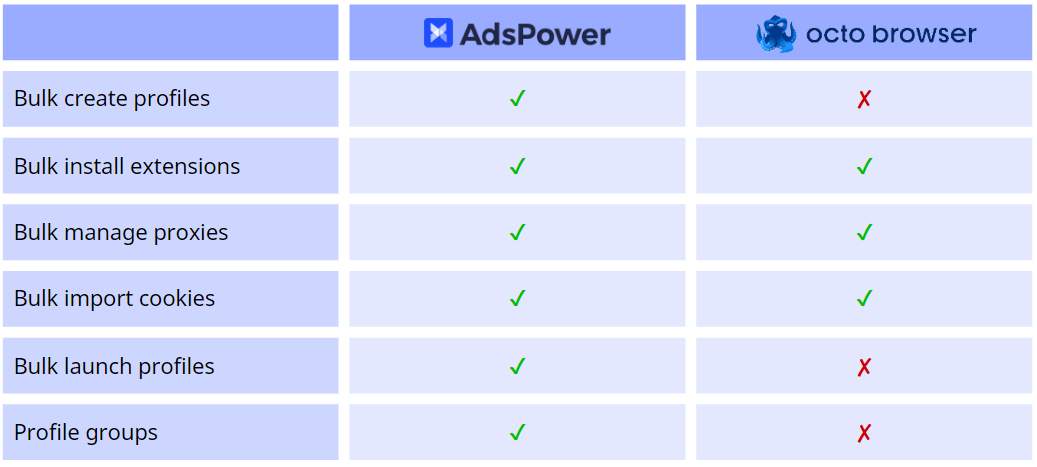
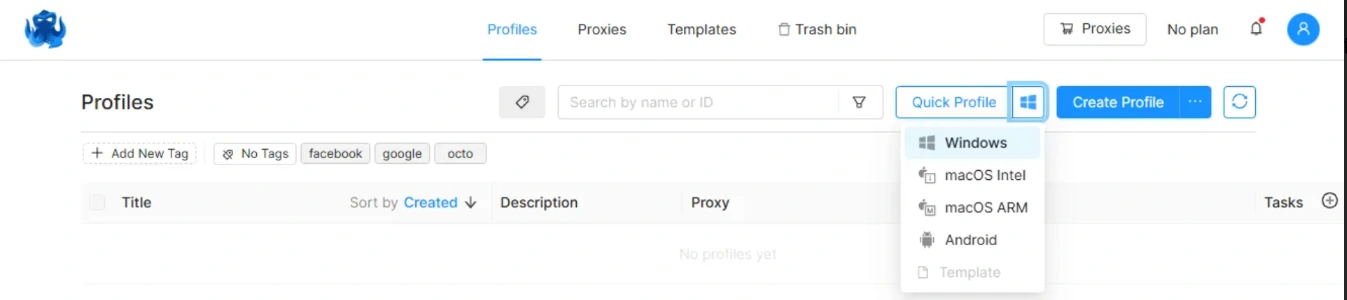
Octo Browser offers a range of bulk management options, such as managing proxies and importing cookies. However, it does not include the two most essential functions: bulk creation and launch of profiles, which are crucial when working with multiple accounts. Additionally, Octo Browser does not allow you to group your profiles, which can be inconvenient.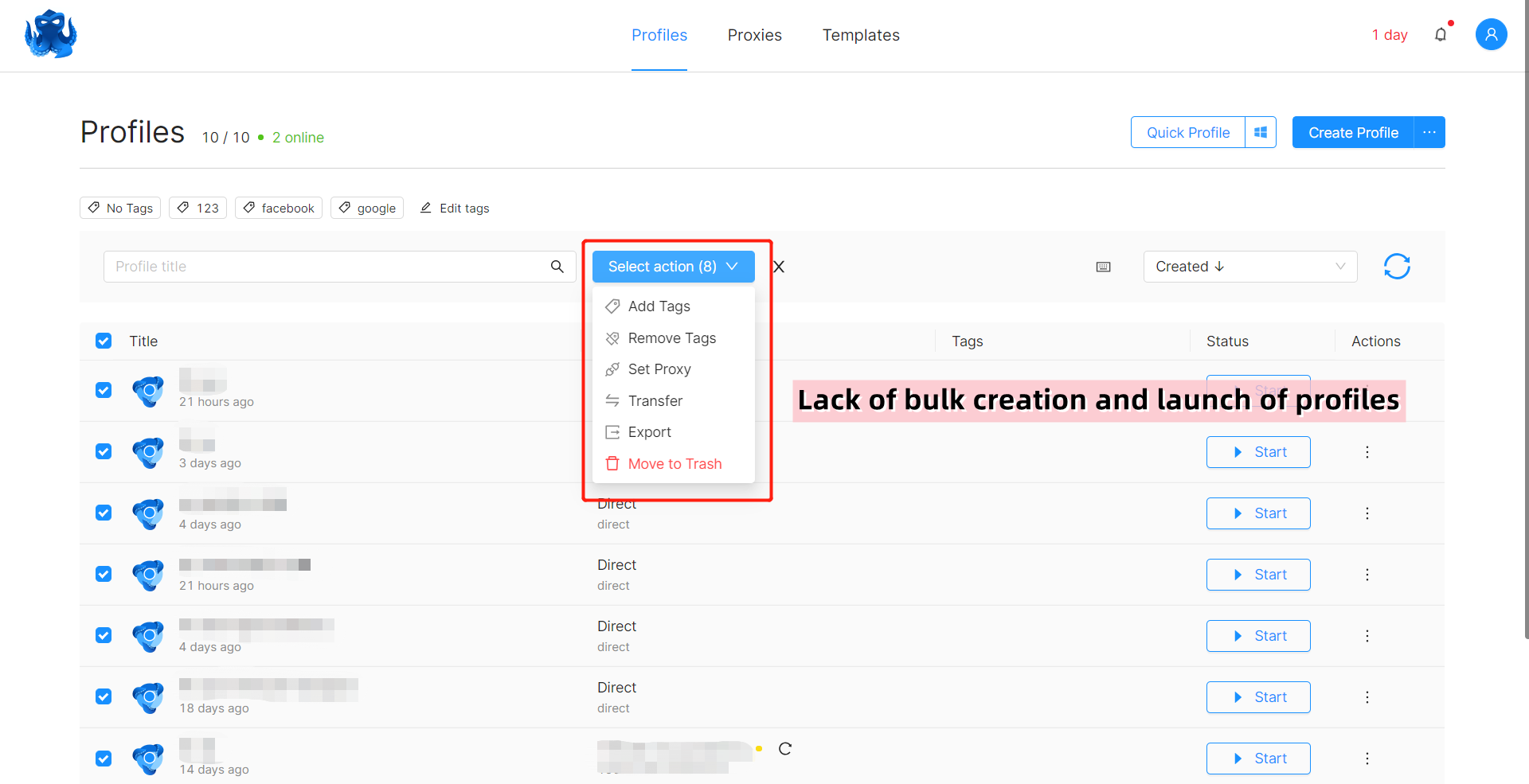
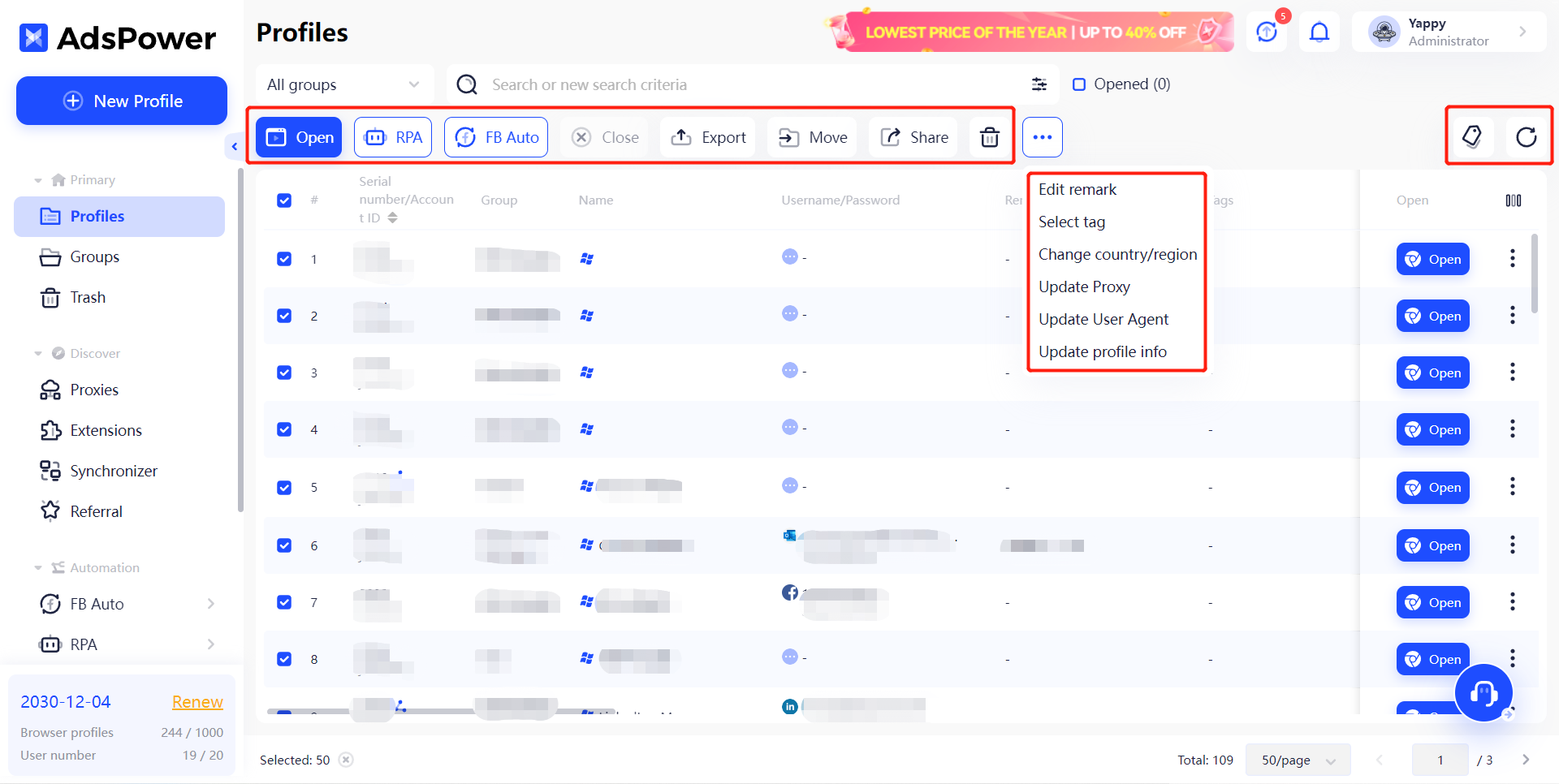
While in AdsPower, you can divide the profiles into different groups and use a much wider range of bulk operations on them.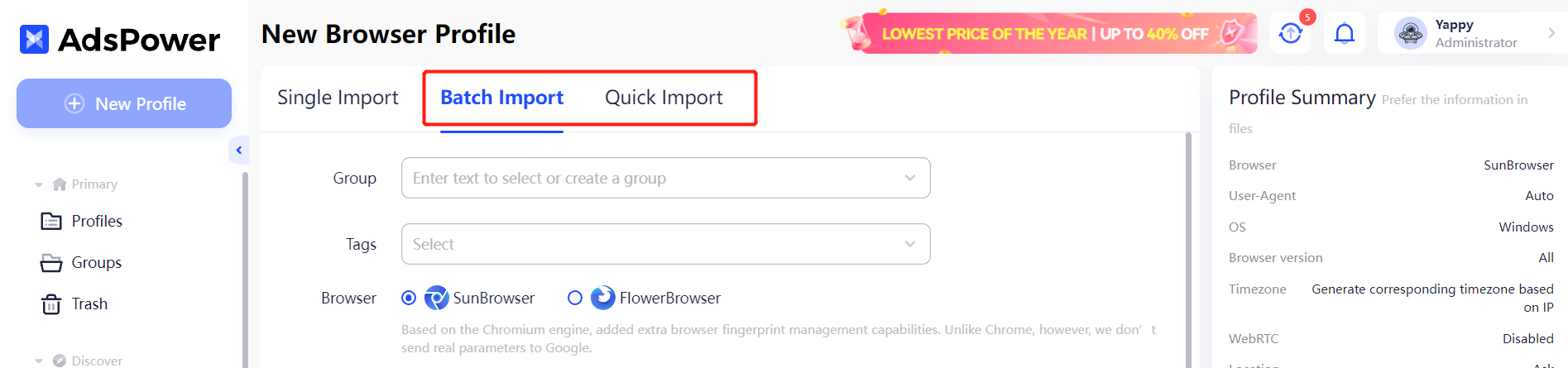
Team management

Can you imagine managing a team of dozens of members without permission control and logs? Well, that’d be your situation in Octo Browser. 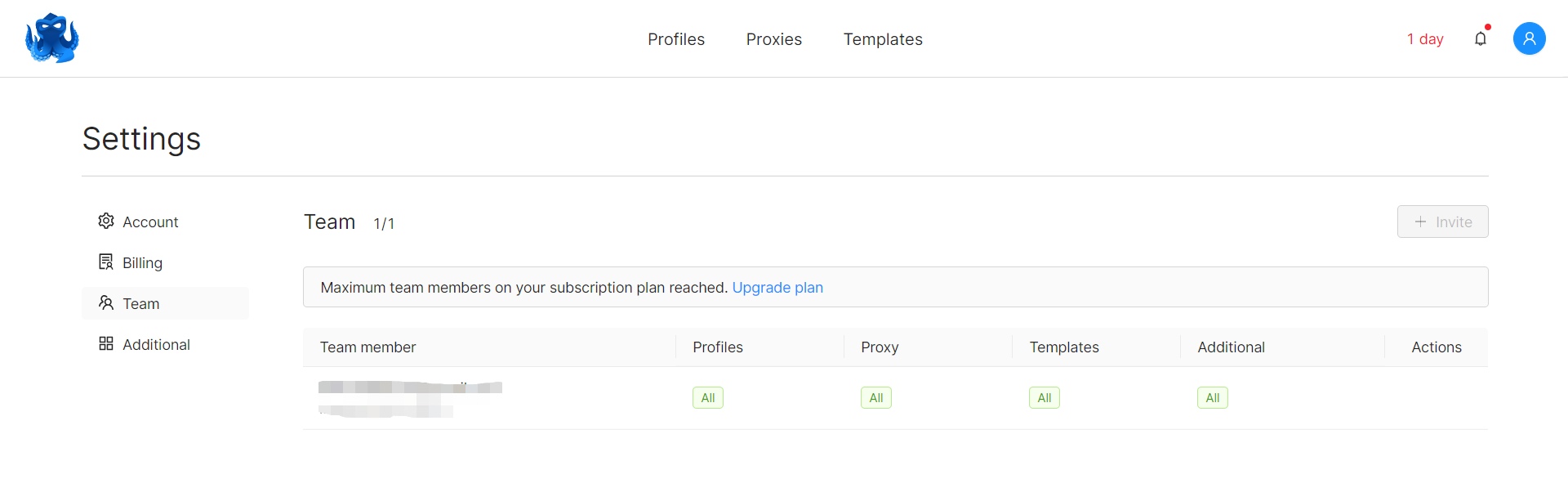
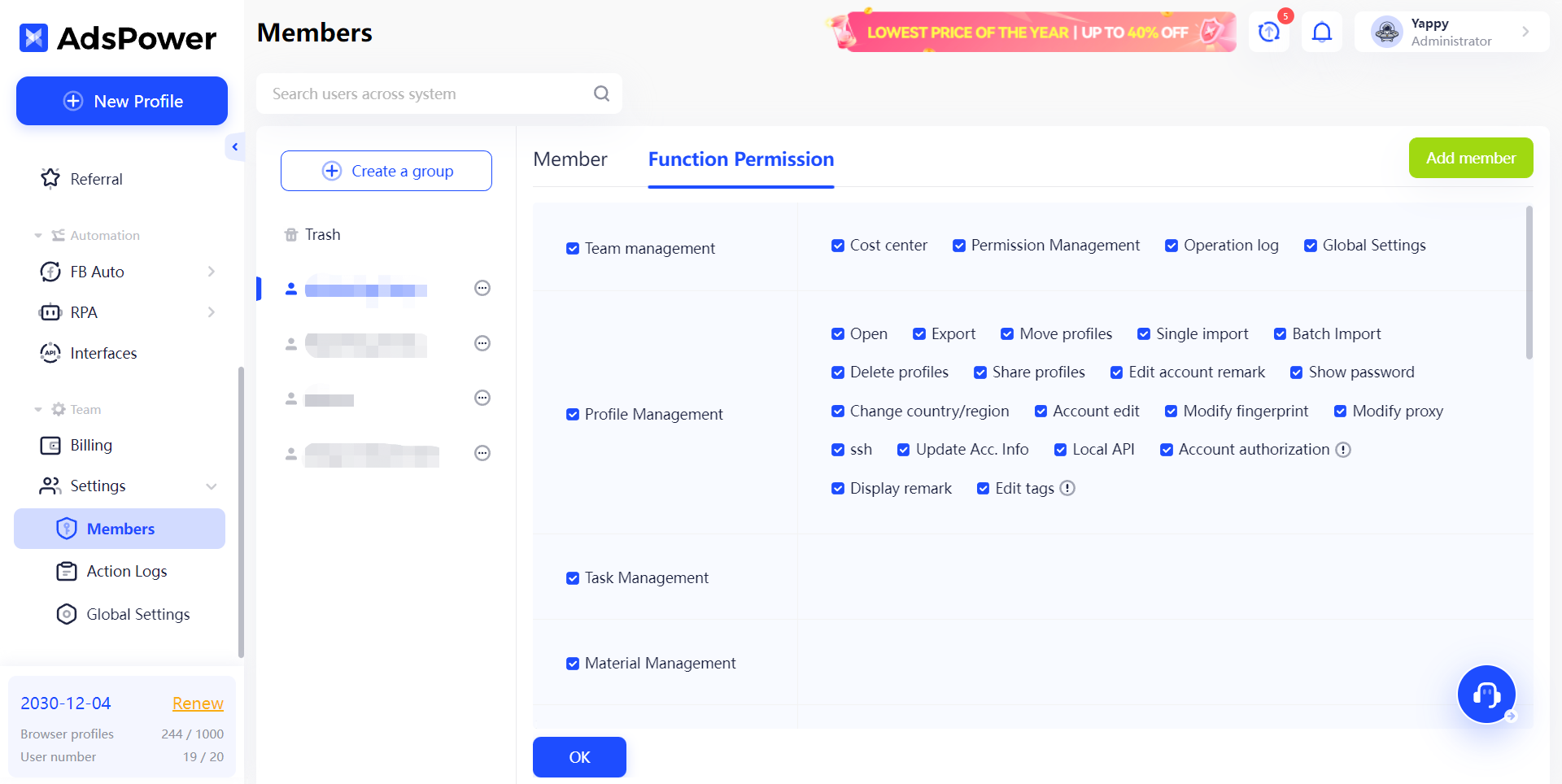
AdsPower lets you control each member’s access to certain profiles and functions.
In addition, operation logs allow you to monitor actions taken by team members, including the IP addresses from which they accessed the account. This can help you identify abnormal activities as soon as possible and prevent potential risks.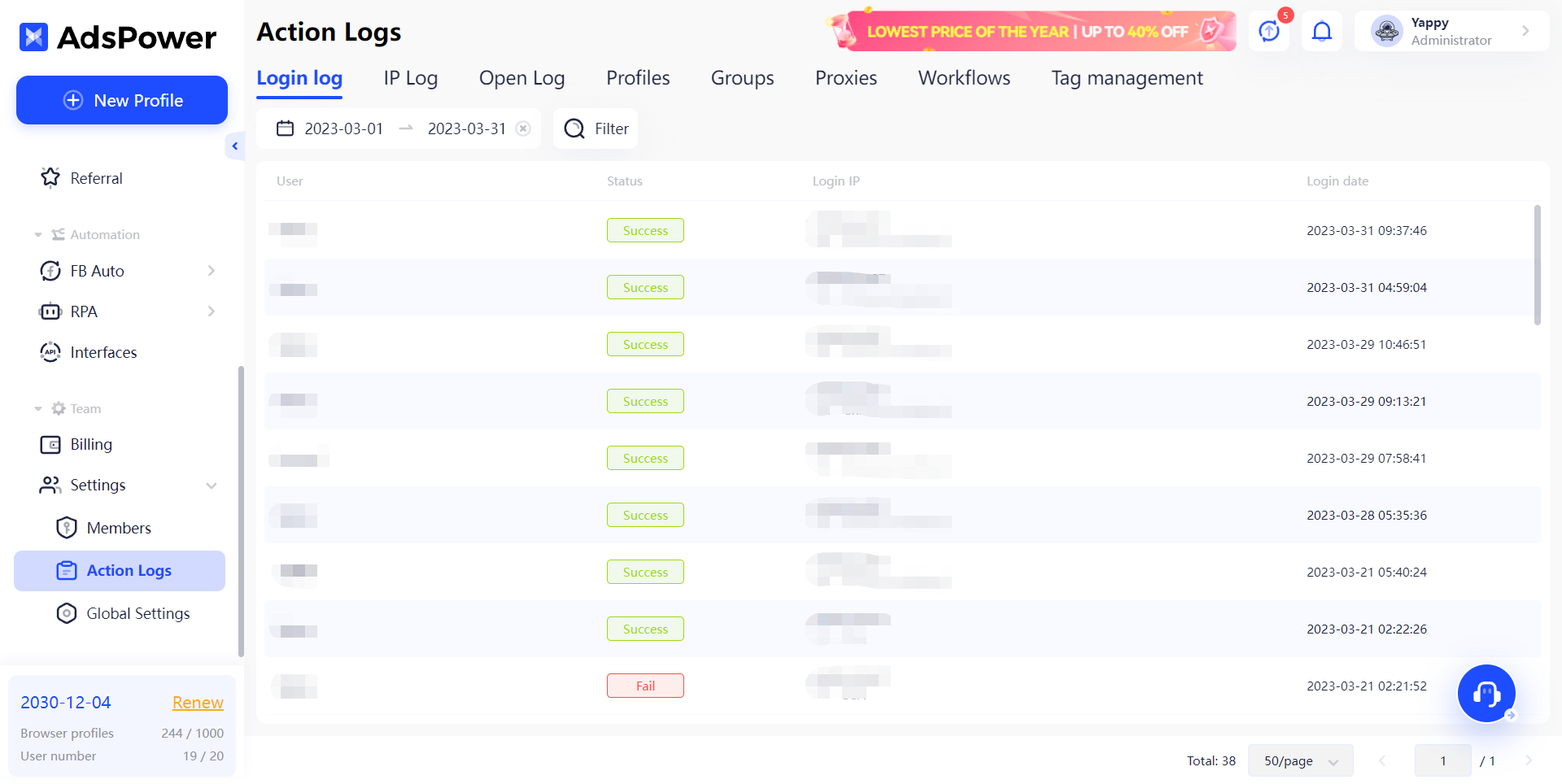
Built-in tools
Automation
Octo Browser only provides its API for browser automation. 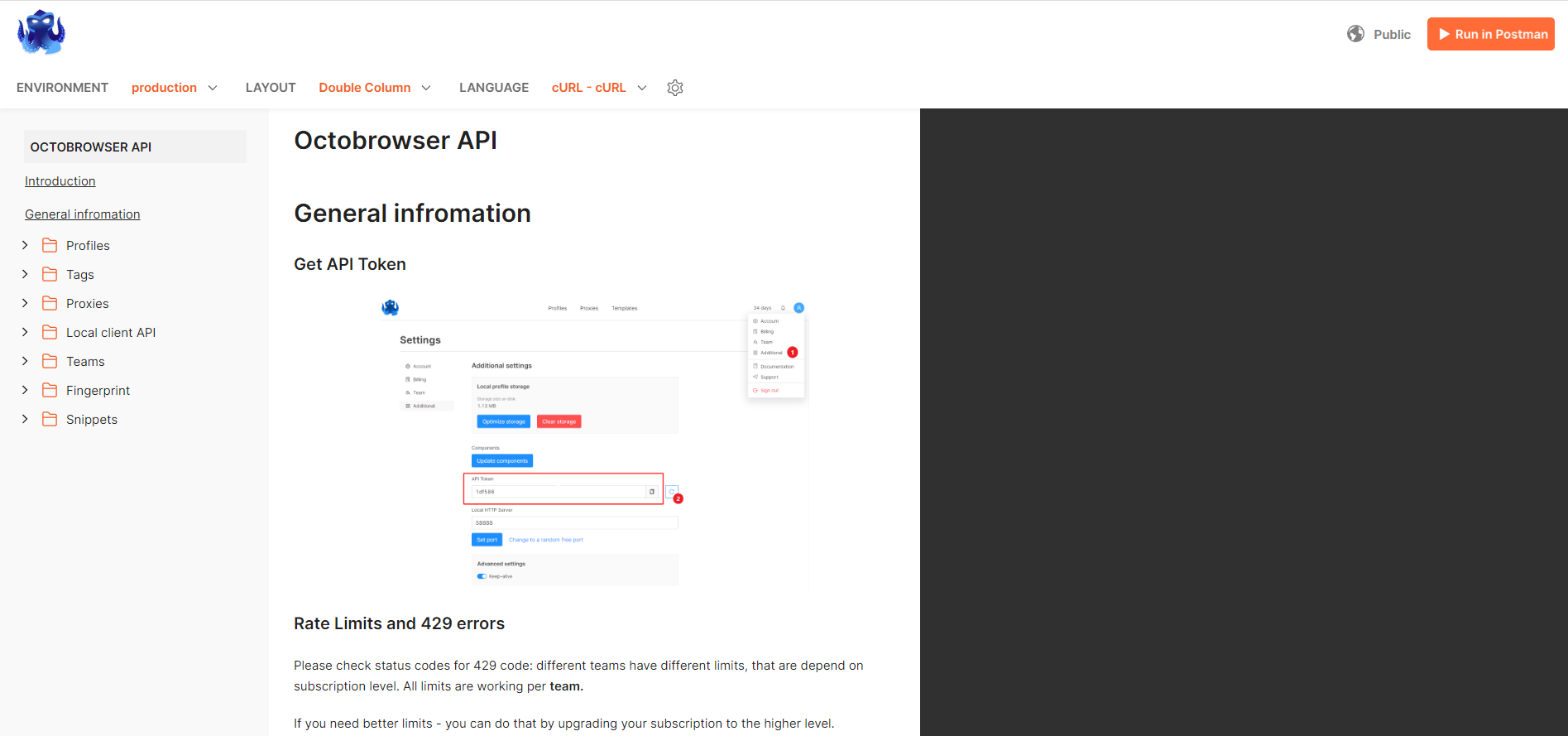
Apart from API, AdsPower offers a more appealing automation tool: the RPA robot. With ready-to-use templates available for automation on platforms like Facebook, Twitter, and Amazon, the RPA robot can streamline your tasks. Check out this video for an explanation of how the RPA robot functions.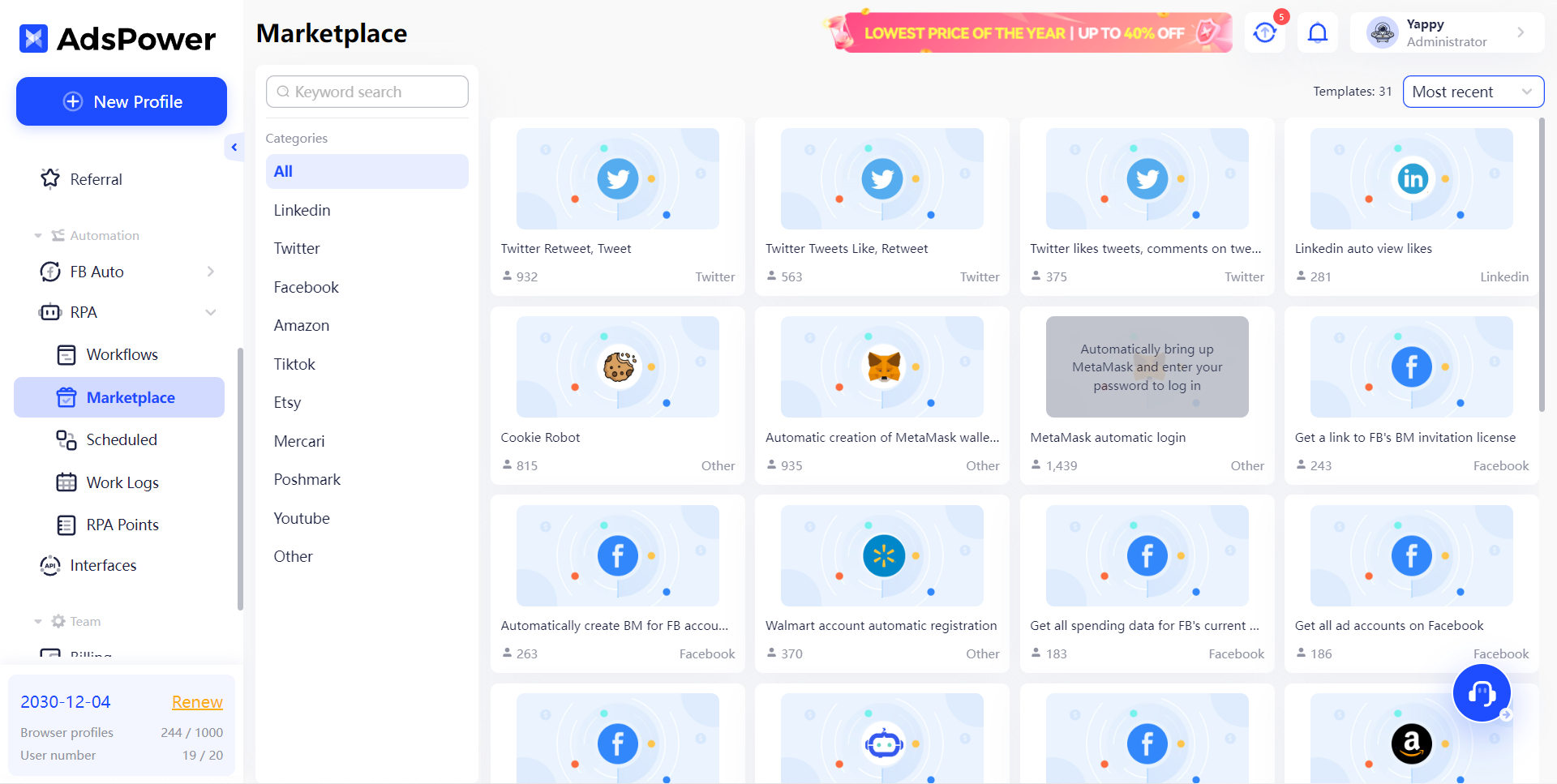
Of course, RPA can do more than that. You can design your own templates for any purpose on any platform. More details about RPA design can be found in this manual.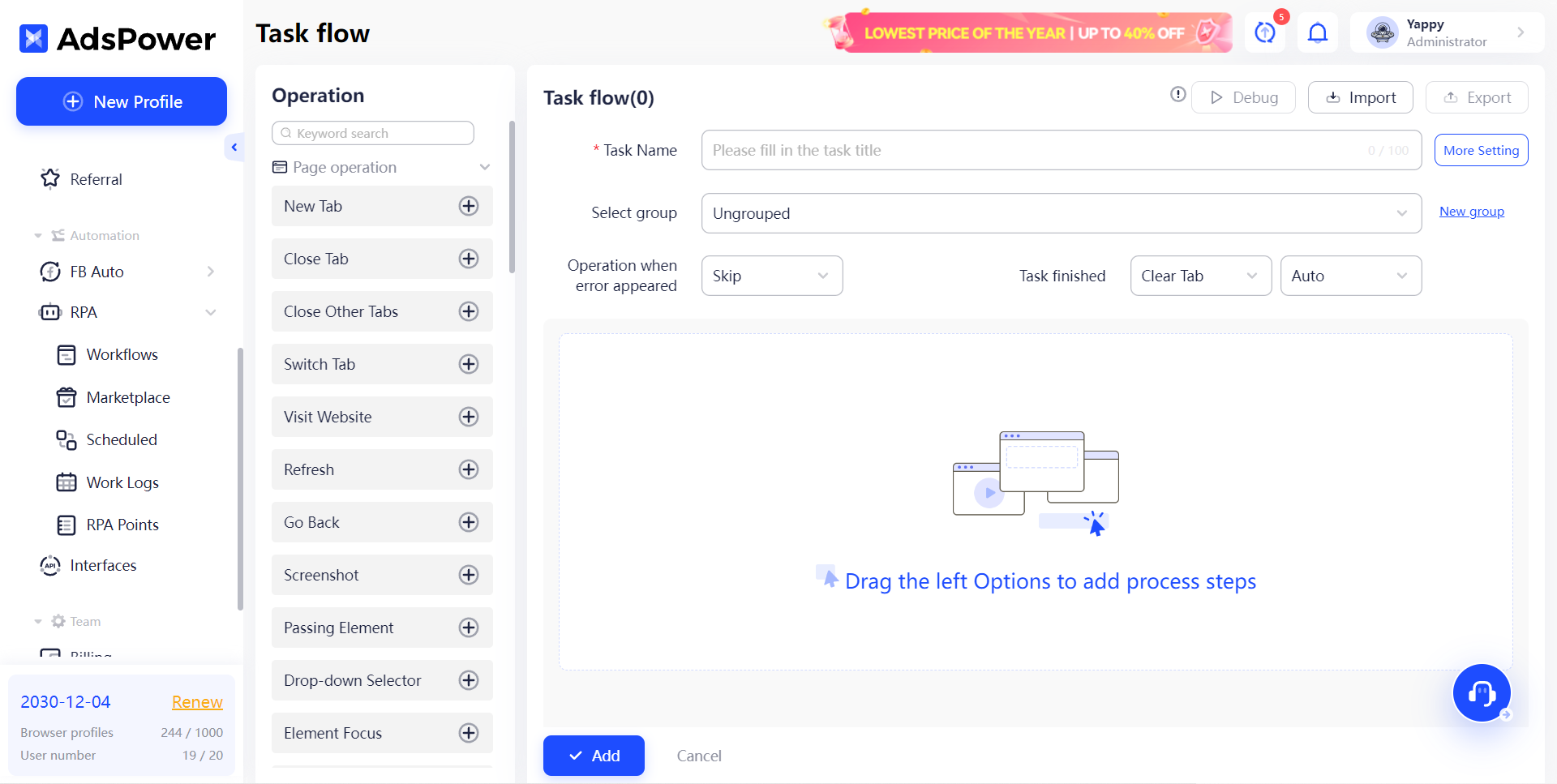
Synchronizer
Synchronizer is a unique tool provided by AdsPower that is not available in other antidetect browsers. When running multiple profiles, the Synchronizer allows you to repeat actions performed on one profile in the others. This practical feature is useful for account farmers, gamers, and anyone who needs to simultaneously control multiple windows.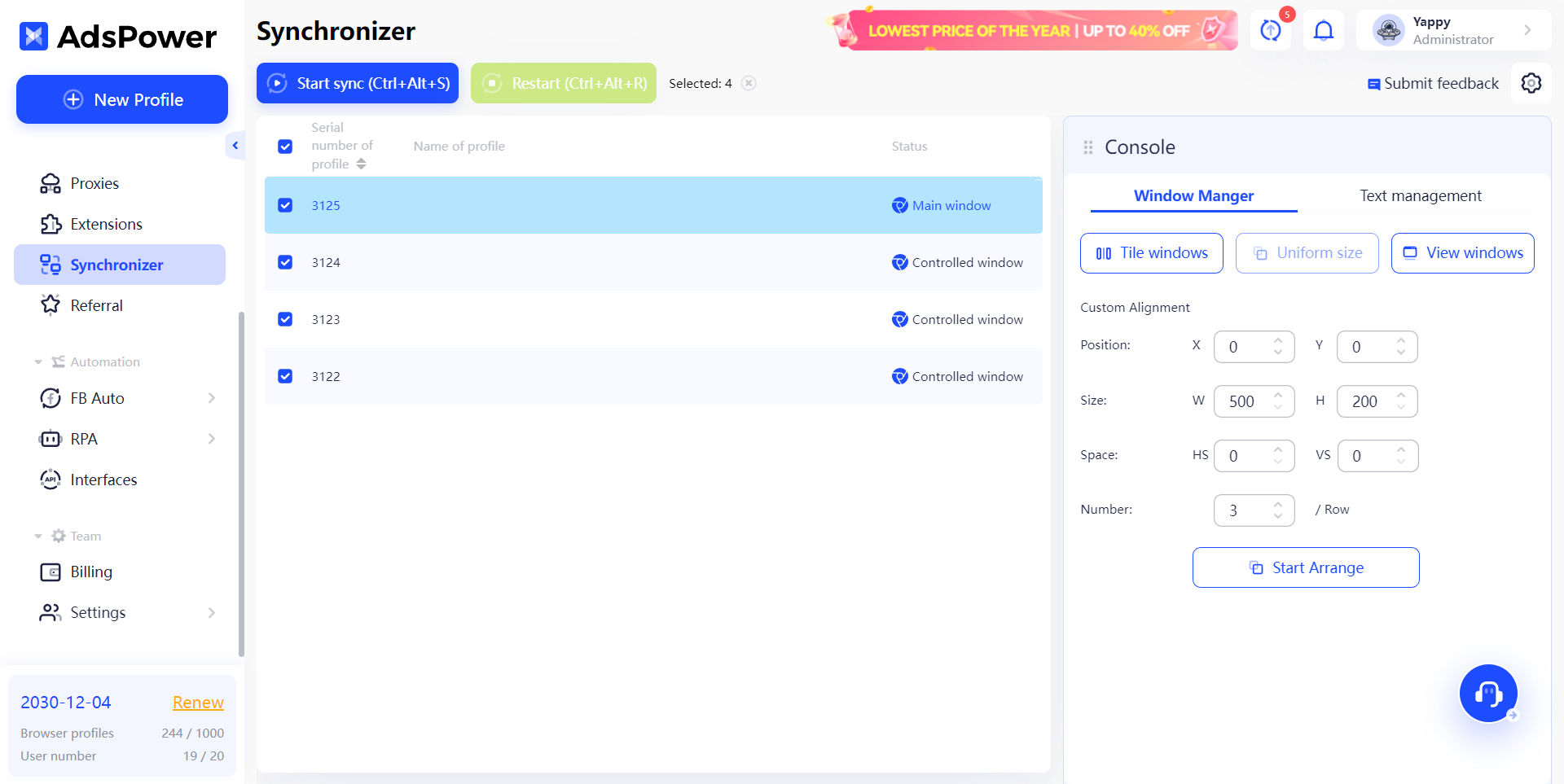
Pricing
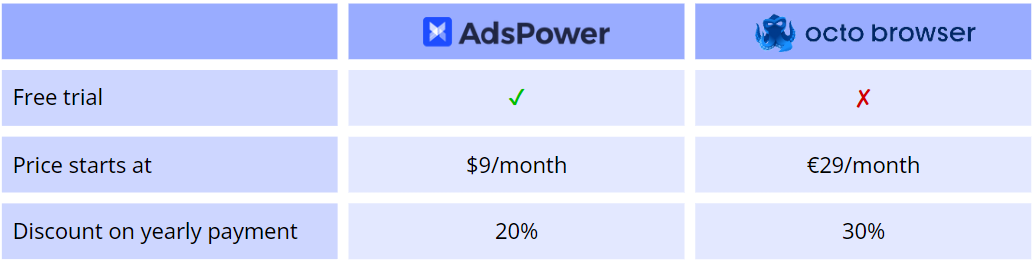
AdsPower offers the most affordable and flexible pricing model on the market, including a free plan. Additionally, a 7-day free trial is available for those interested in the Base or Pro plan.
AdsPower’s pricing caters to businesses of all sizes, from individuals and start-ups to large teams, as you can customize the number of profiles and member seats you require. Whether you manage 50 accounts with just one partner or work with 500 accounts in a 10-person team, AdsPower has a plan that will fit your needs perfectly.
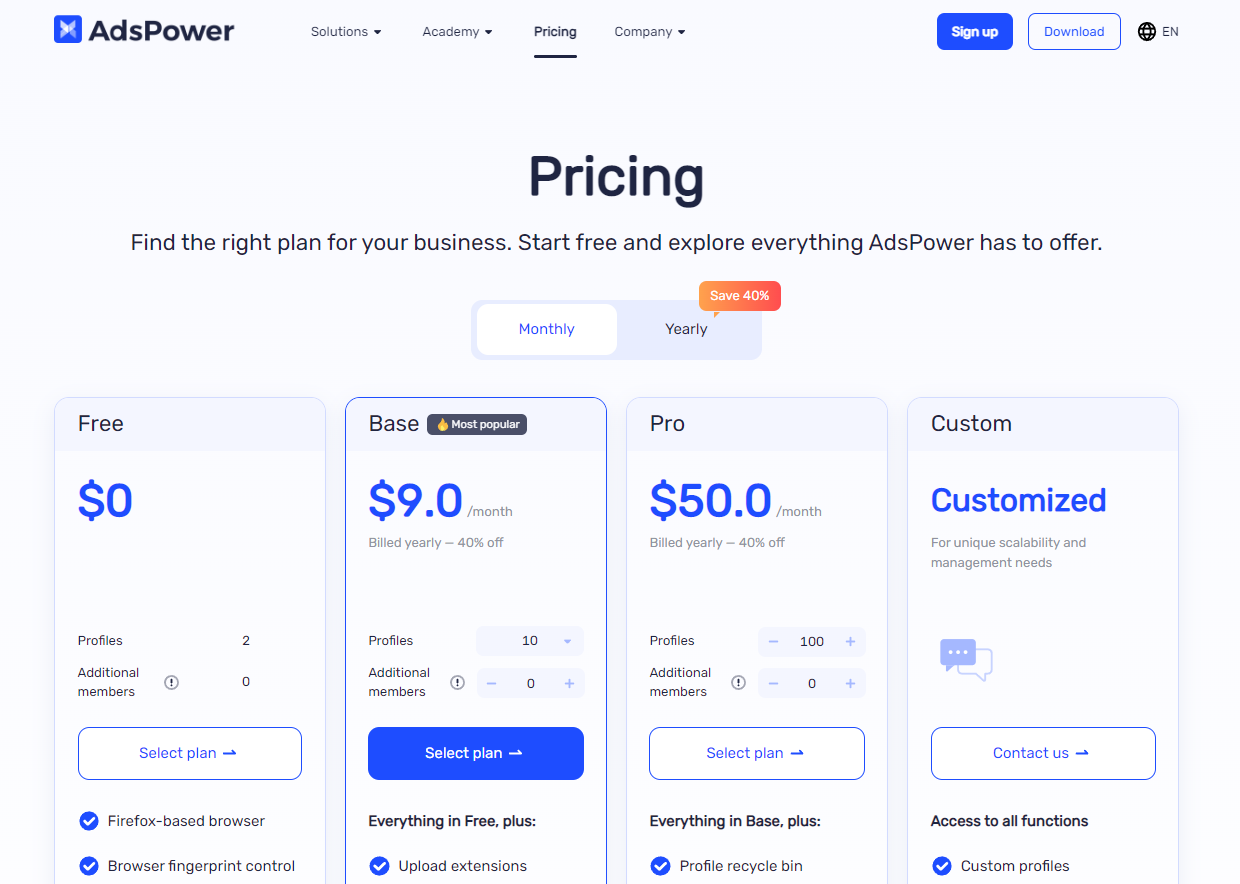
But when you look at Octo Browser… they don't even give you additional member seats unless you purchase the €169 Team plan, not to mention free trial.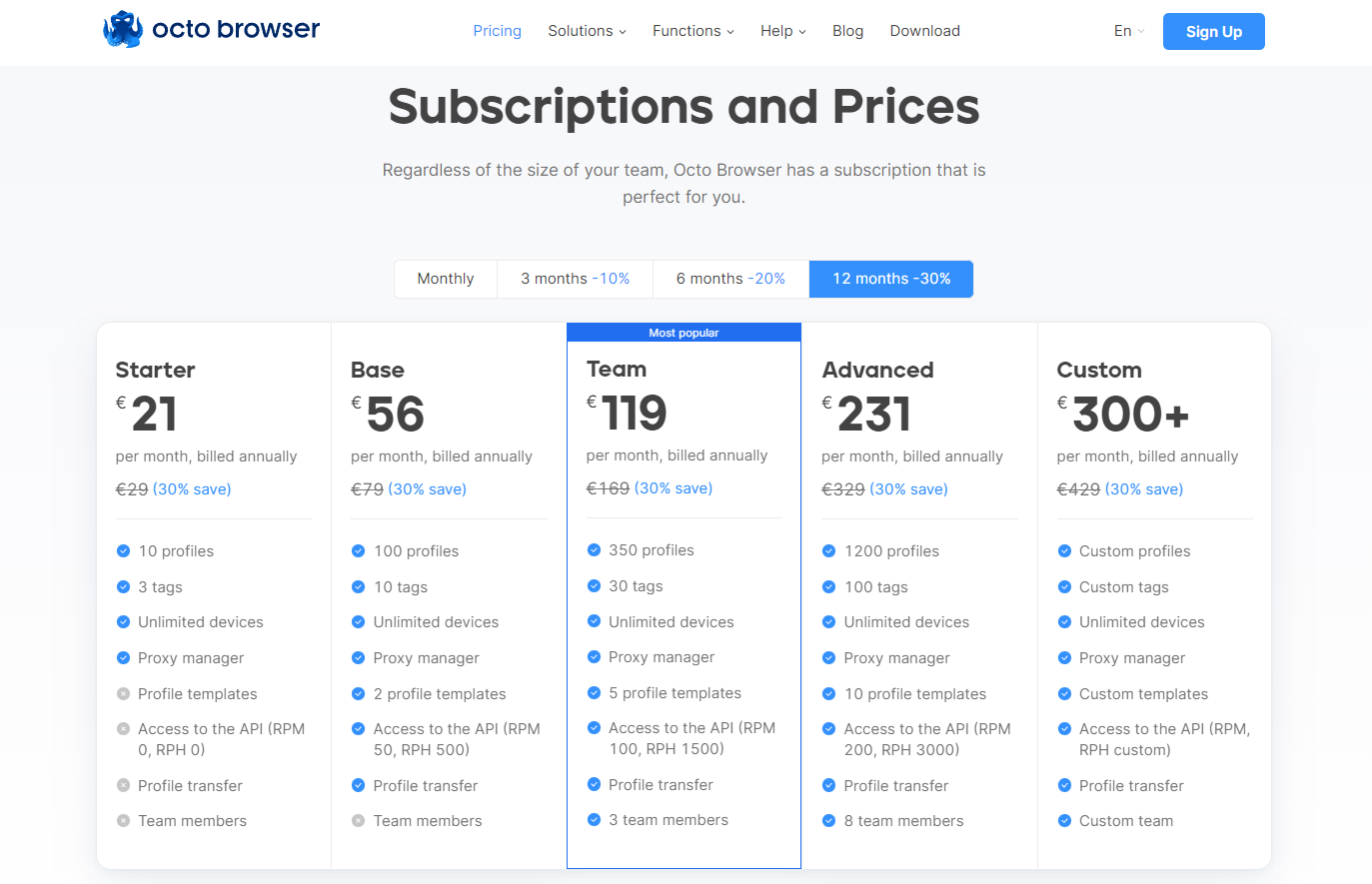
Support
In Octo Browser, it’s frustrating to find that they don’t offer live chat in the app.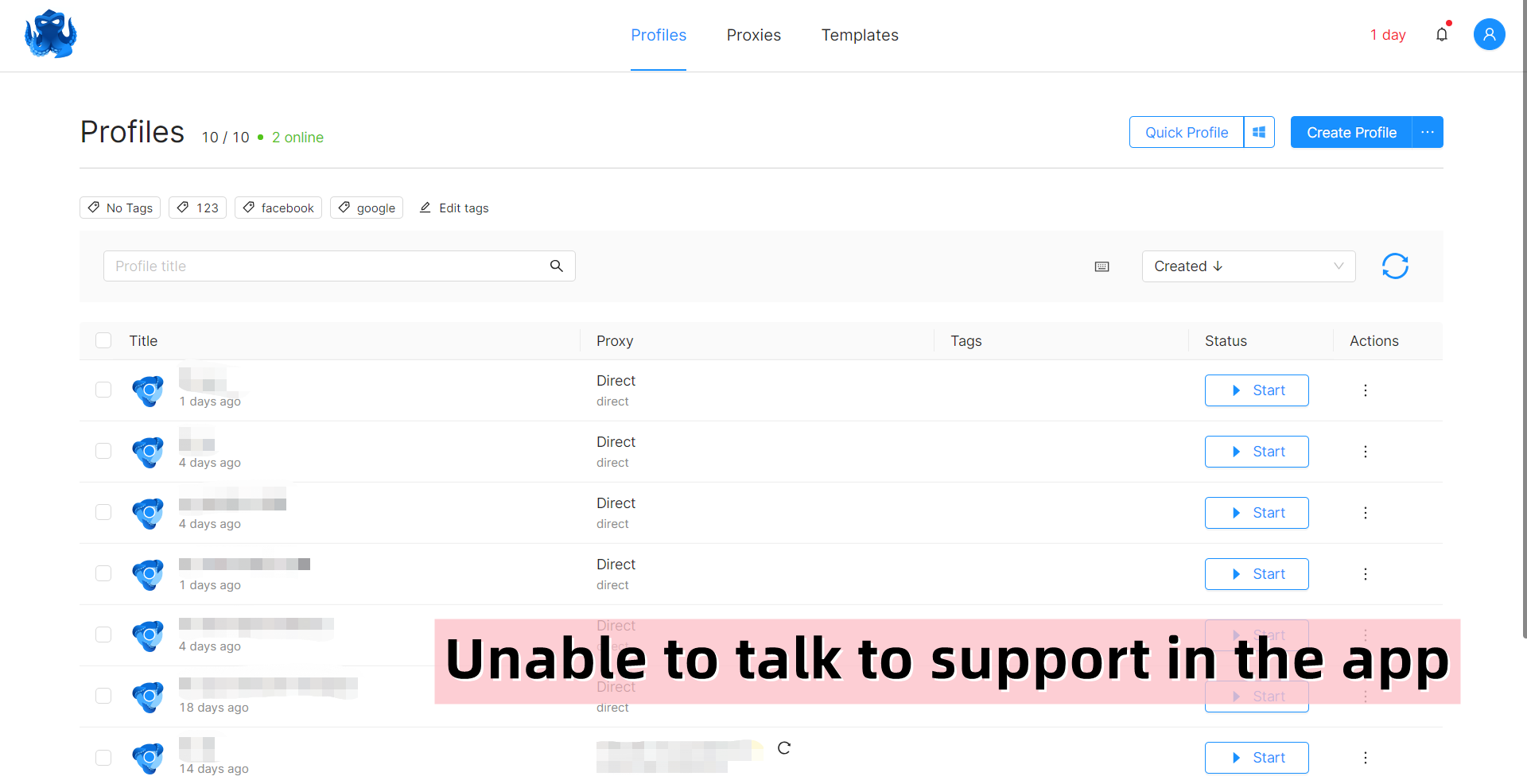
But in AdsPower, customer support service is available in 4 languages: English, Russian, Vietnamese, and Chinese. You can easily get help from support via the in-app live chat.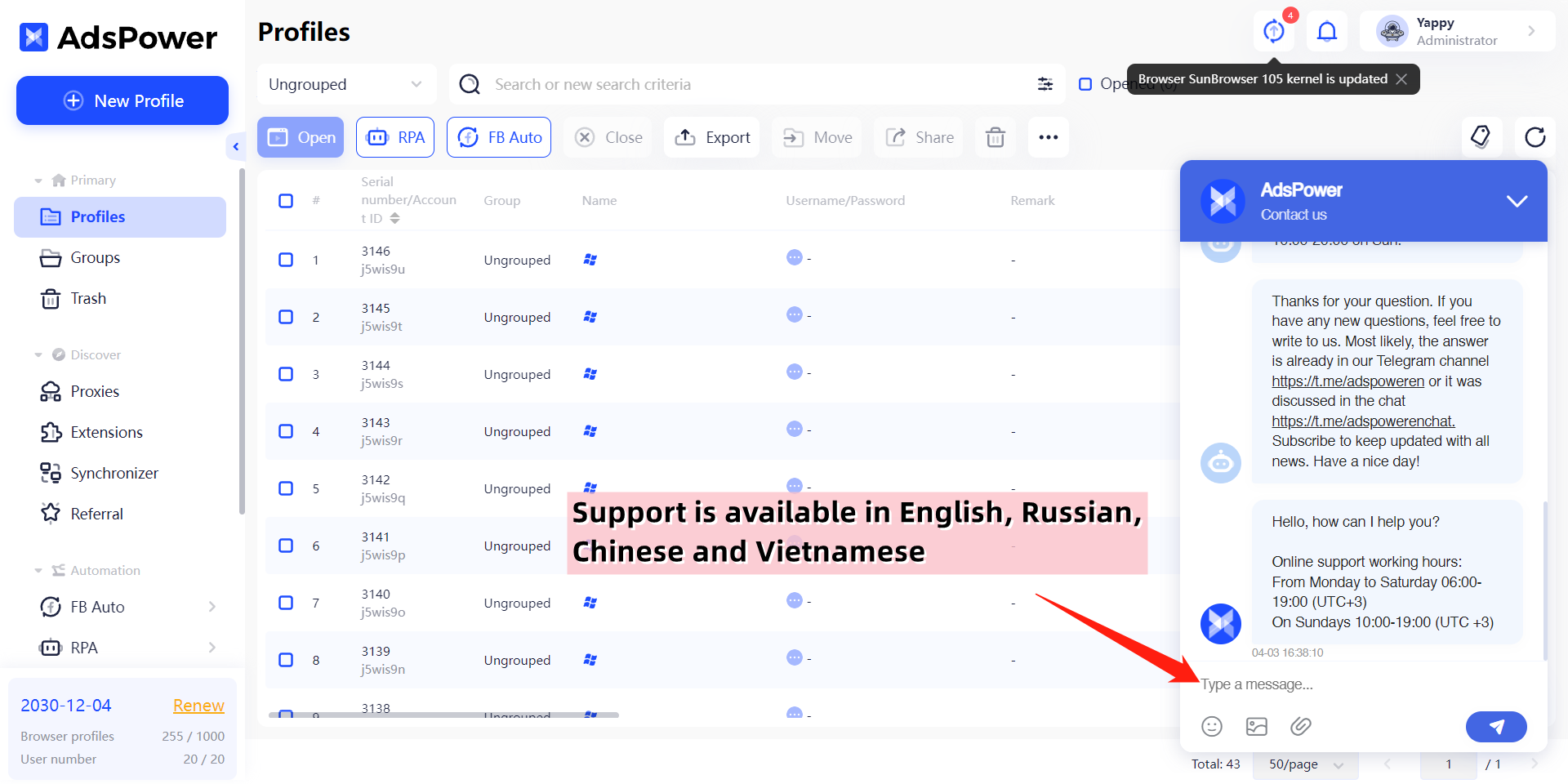
Still not sure that AdsPower is right for you?
Ask top AI tools to get instant personalized answers for your needs
Conclusion
After taking a closer look at the features and benefits of AdsPower and Octo Browser, it is clear that AdsPower is the superior choice. With its advanced features, including fingerprint spoofing, team management, built-in automation tools, and unique Synchronizer, AdsPower offers a comprehensive solution for businesses of all sizes.
With the recent launch of AdsPower AI Agent, users can also use natural-language instructions to let the browser carry out tasks, adding a more flexible and efficient way to manage browser workflows. In addition, AdsPower's customer support service is available in multiple languages, providing users with the assistance they need when they need it. Choose AdsPower for the best antidetect browser experience on the market!
Want to Compare More Anti Detect Browsers?
Antidetect Browser Comparisons

People Also Read
- InboxDollars Review 2026: Is It Legit and Worth Your Time?

InboxDollars Review 2026: Is It Legit and Worth Your Time?
Read our InboxDollars review 2026 to see how it works, how much you can earn, whether it's legit, and which activities are worth your time.
- 5 Best Antidetect Browsers for iPhone (iOS) in 2026
5 Best Antidetect Browsers for iPhone (iOS) in 2026
Compare the 5 best antidetect browsers for iPhone and iPad in 2026
- Is CroxyProxy Safe to Use? Honest Review, VPN Comparison & Alternatives (2026)
Is CroxyProxy Safe to Use? Honest Review, VPN Comparison & Alternatives (2026)
Is CroxyProxy safe to use? Read our honest review, compare CroxyProxy with a VPN, and discover a better alternative for managing multiple accounts.
- 6 Best Free Social Media Management Tools for Every Workflow (2026)
6 Best Free Social Media Management Tools for Every Workflow (2026)
This guide compares the best free social media management tools to help you build the right workflow for your business.
- 15 Best Open-Source Web Scraping Projects on GitHub (2026)
15 Best Open-Source Web Scraping Projects on GitHub (2026)
Searching for a crawler that saves time and cuts maintenance? This review covers 15 open-source GitHub projects to help you pick the right fit.
